Venu 4
Morning essentials
Weather · Steps · Recovery
3 top-row slots · Side slot off
LESS SEARCHING. MORE LIVING.
The time takes centre stage.
Your health, weather and daily goals stay close.
Optional one-time tip · Every NEU feature stays free.
GET TO KNOW NEU
Explore each part of the face.
Choose what belongs on yours.
Select a dot or a feature to explore it.
THE ANATOMY OF YOUR DAY
SAME FACE. DIFFERENT PRIORITIES.
A few combinations to start with.
Every layout is yours to change.
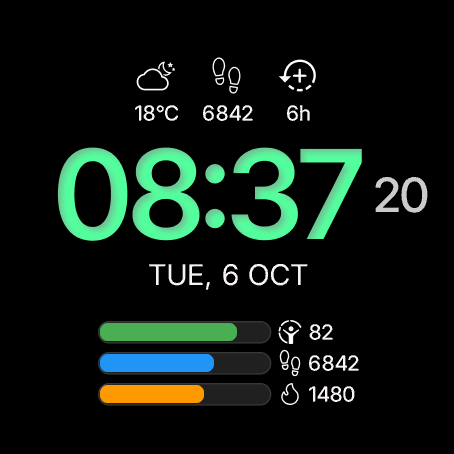
Venu 4
Weather · Steps · Recovery
3 top-row slots · Side slot off
vívoactive 5
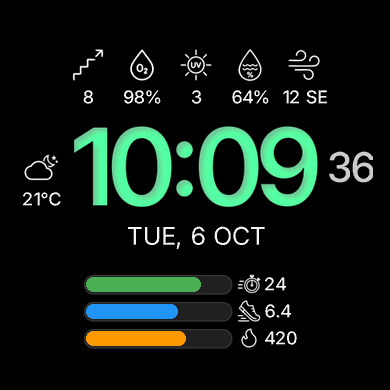
Floors · SpO₂ · UV · Humidity · Wind
5 top-row slots · Weather beside the time
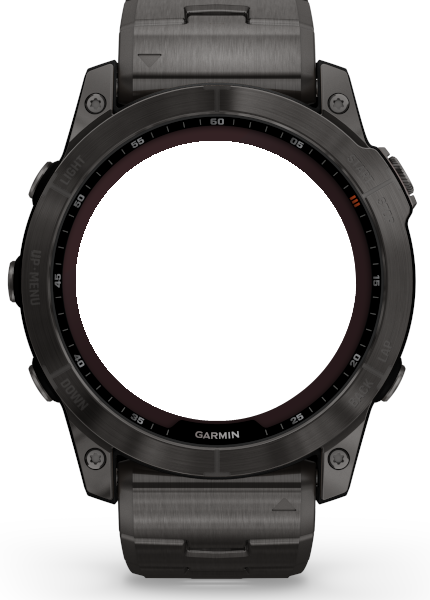
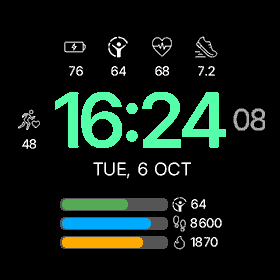
fēnix 7X
Battery · Body Battery · Heart rate · Distance
4 top-row slots · VO₂ max beside the time
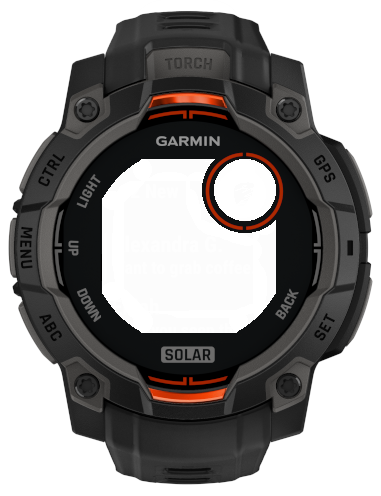
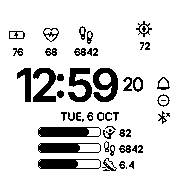
Instinct 3 Solar
Battery · Heart rate · Steps · Solar intensity
Monochrome LCD · Dedicated round sub-display
4 top-row slots · No side slot
Native simulator capture
Simulator captures with sample data. Available metrics vary by watch; the floors value shown on vívoactive 5 is illustrative.
MAKE IT YOURS
Pick a device and experiment.
Your changes appear on the watch.
Your setup stays saved in this browser.
Press the time to add water when tracking is enabled.
Press the lower part of the face to subtract a serving.
YOUR WATCH, YOUR WAY
Choose one time colour or separate colours for hours and minutes, then fine-tune your layout, goals and water tracking. Your settings stay saved in this browser until you reset this setup.
Make it your colour: explore ready-made swatches or choose any HEX colour. Touchscreen colour watches have an on-watch palette and colour picker. Choose one colour for the time or a pair for hours and minutes. You can also enter both HEX colours in phone settings; leave the minutes colour blank to use the hours colour. Saved custom colours are shared between time and progress-bar palettes. Colour MIP screens use their available display palette; monochrome watches stay monochrome.
Inner shadow applies to Green, Red & white, White and custom colours on AMOLED displays.
The notification badge appears only when the count is greater than zero.
Simulate watch status in this preview. On the watch, these indicators follow the alarm, quiet mode and phone connection.
Active calories are estimated from total calories minus resting calories so far today. The watch uses your Garmin profile; this preview uses an example profile.
Each bar has its own metric and colour. Other daily and weekly goals follow the watch's data.
Water rises inside the time digits. Assign water to a bar to show it there instead. On the watch, press the time to add a serving and the lower area to subtract one.
Interactive previews use the original NEU graphics and Garmin simulator skins. Browser rendering is illustrative. Metric availability and native detail shortcuts depend on the device; the preview does not connect to Garmin or save hydration to your watch.
EVERY DETAIL, YOUR CHOICE
Every feature stays free. If NEU is useful to you, leave an optional one-time tip.
Support NEU